
Blogs

Ever wondered how you could replace the additional processing of relational data with fully integrated graphs database model using SQL server? This could be a real game changer for all the data enthusiasts!
What is the difference between graph and relational database in SQL Server?
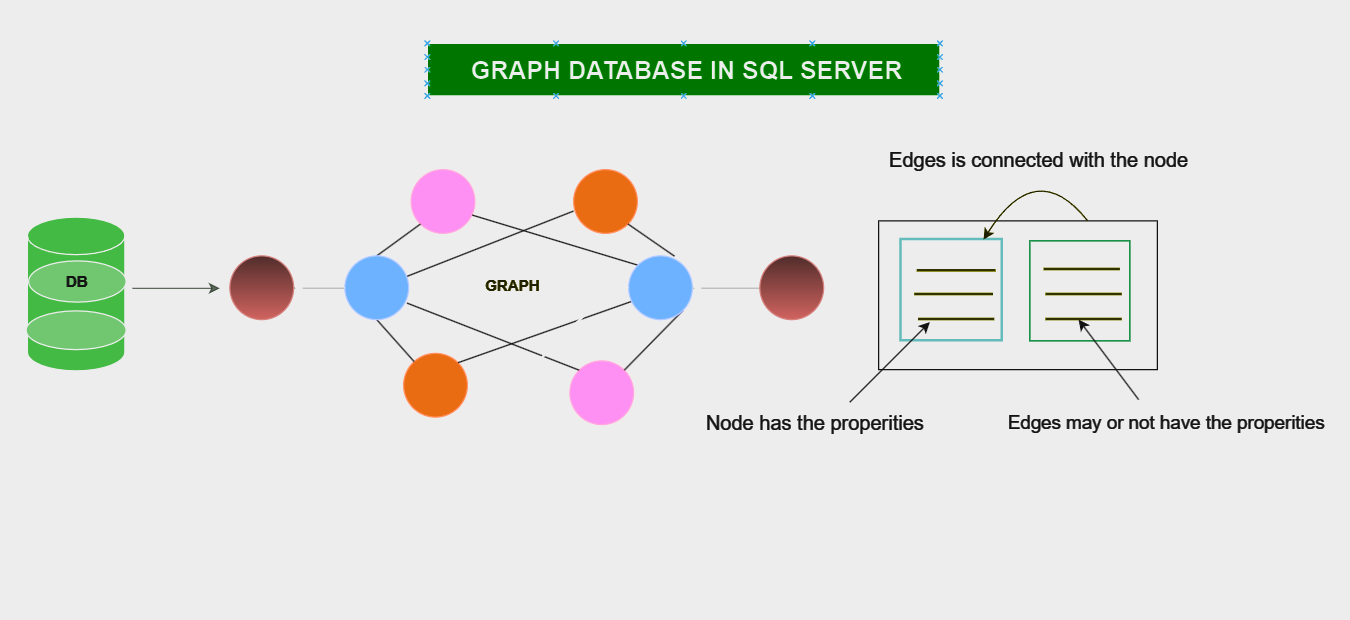
Graphs database and relational database store and manage data in predefined relationships between them. But the data relationships that they represent are very different from one another. Let’s deep dive into the details to understand this better.
Graph Database
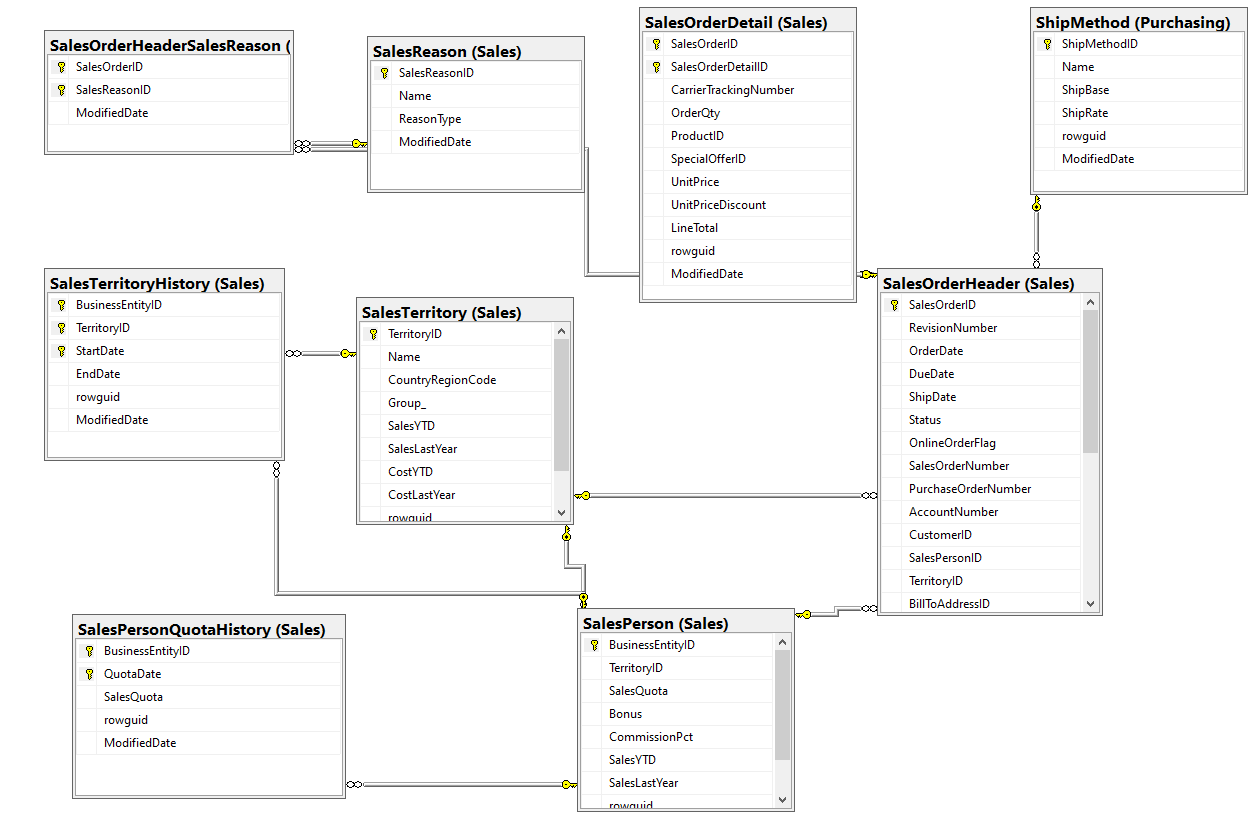
Relational Database
When to use: graph database vs. relational database?
Both, graph, and relational databases can be used effectively in diverse cases based on the different database models.
Graph database:
Like we mentioned above, graph based database stores and manages complex data. It is designed in a way that enables it to handle complex and dynamic data models. It focuses on data that is highly connected to relationships. This allows it to be analysed, searched, and recommend search engines.
You can choose to work with graph based database when you’re dealing with:
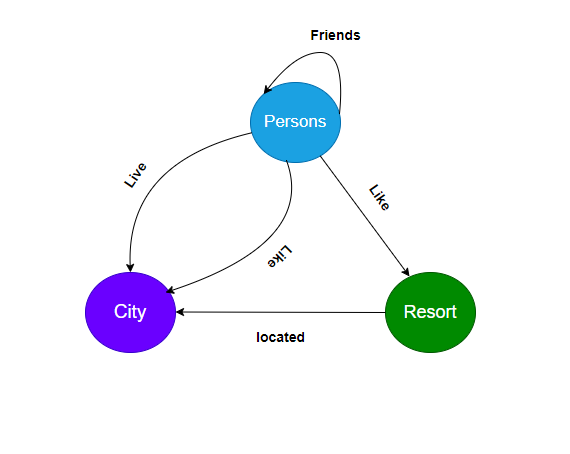
The diagram below shows how nodes (Persons, Resort, City) are connected to Like, Live, Located, and Friends through edges.
Relational Database:
Now, talking about relational database management, it is structured schema that supports data integrity. Typically, data is structures across multiple tables that can be joined together by a primary or foreign key.
Try opting for the relational database management when:
Still not sure which one is a better choice for you particularly? Read on to find your perfect choice, customized to your needs.
Scenarios where Graphs Database is a better choice:
Working on the graph and relational schema will achieve the same results, but graph model makes it easier to express certain queries. Graph Database handles many to many relationships, mostly used in the application that have multiple relationships between data entities. Edge is connected to multiple nodes, which makes it easy to query. It also allows traversing or navigating the queries easily, using join-free pattern matching.
Below is an example of graph based database using SQL Server for clarity. Here, Persons, Resort, and Place are in the node table and edge connected to the multiple nodes are Likes, Live, Located, and Friend of.
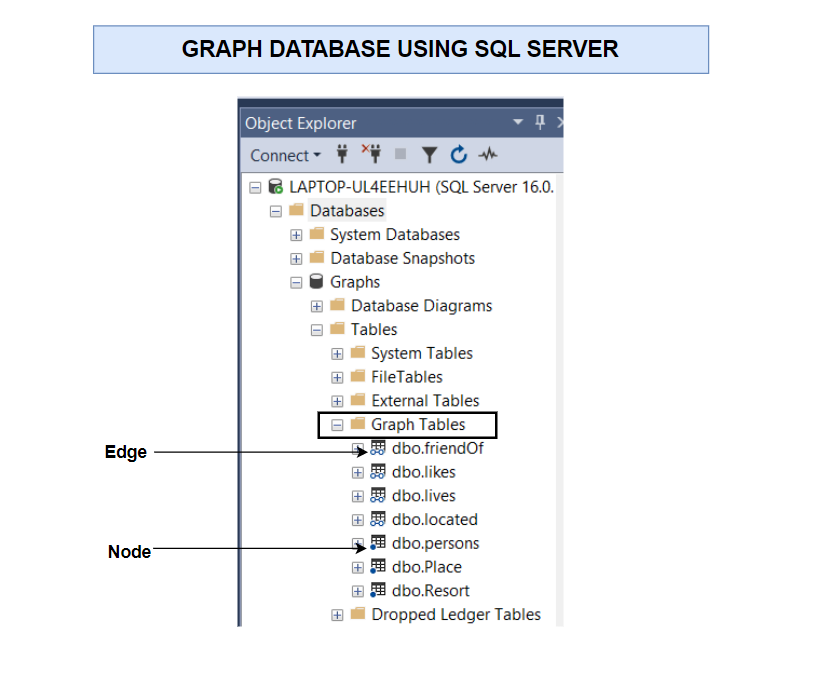
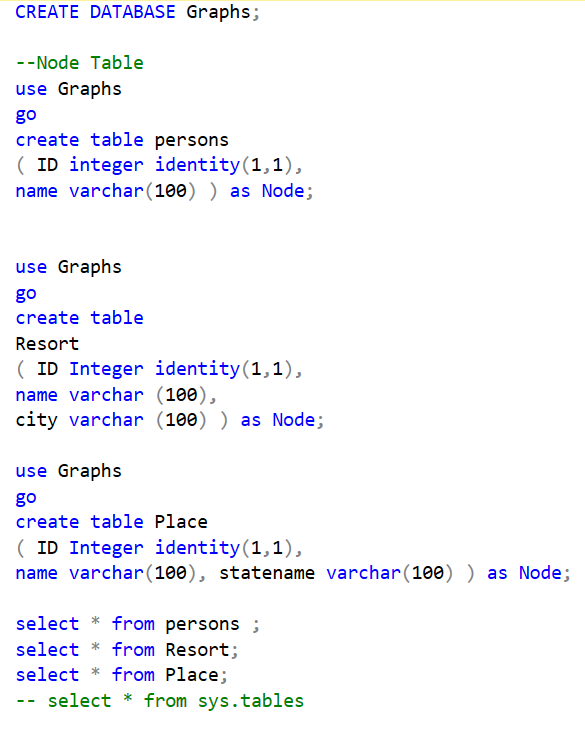

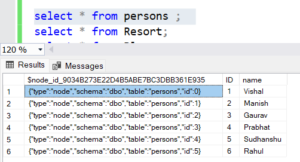
After executing all the above records, below is the output of the person’s node table.
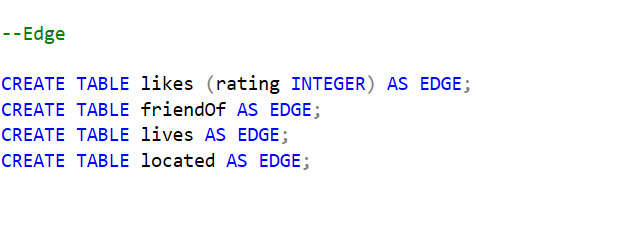
Edge should be inserted by node data in the form of $from_id and $to_id.
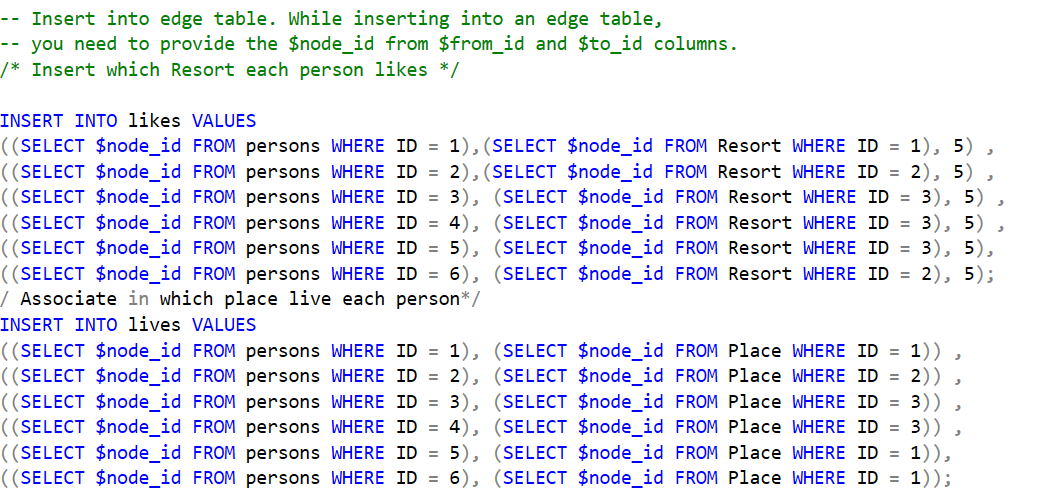
After executing the edge table, below is the output received.
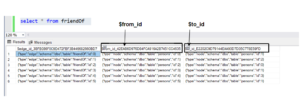
Node Table and Edge Table are hence, created successfully.
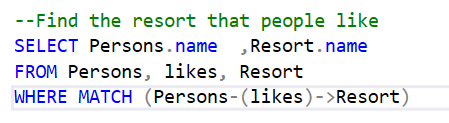
Below is an example of a graph database.
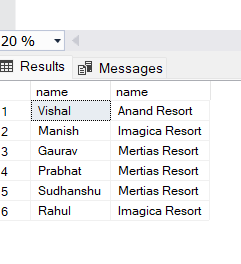
Find the resort that people like.
Below is the Output:
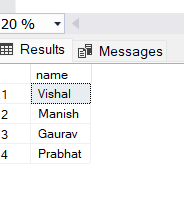
Find the people who like the resort in the same city they live in.

Below is the Output:
It’s as easy and convenient as it gets.
Key Takeaways:
And there you have it – A detailed guide to how you can handle complex data with graphs database using SQL Server. This should help you get the much-needed head start on your path to exploring the graphs database methodology further.