
Every migration project starts the same way: a plan, a deadline, and a quiet worry about what happens if something goes wrong along the way. That worry is reasonable. Moving data from one system, storage type, or format to another is rarely just a copy-paste job — it is a strategic step that touches performance, compliance, and user trust all at once. Done well, it modernizes the business. Done carelessly, it becomes the outage nobody wants to explain to leadership.
What Is Data Migration?
Data migration is the process of moving data from one system, storage type, or format to another — whether that means lifting files off an aging server, consolidating scattered databases, or replatforming decades of legacy records onto a modern, cloud-based foundation. The scale varies wildly, but the stakes don’t: a mishandled migration can mean data loss, downtime, and compliance exposure, while a well-run one lays the groundwork for faster decisions and real scalability.
Why Data Migration Matters
Modern businesses run on data. When that data isn’t where it should be, or isn’t in the shape it needs to be, operations stall, customers get confused, and revenue takes the hit. Correct, well-governed migration isn’t a background IT task — it’s the foundation that every later digital initiative gets built on.
The Data Migration Process: Seven Steps
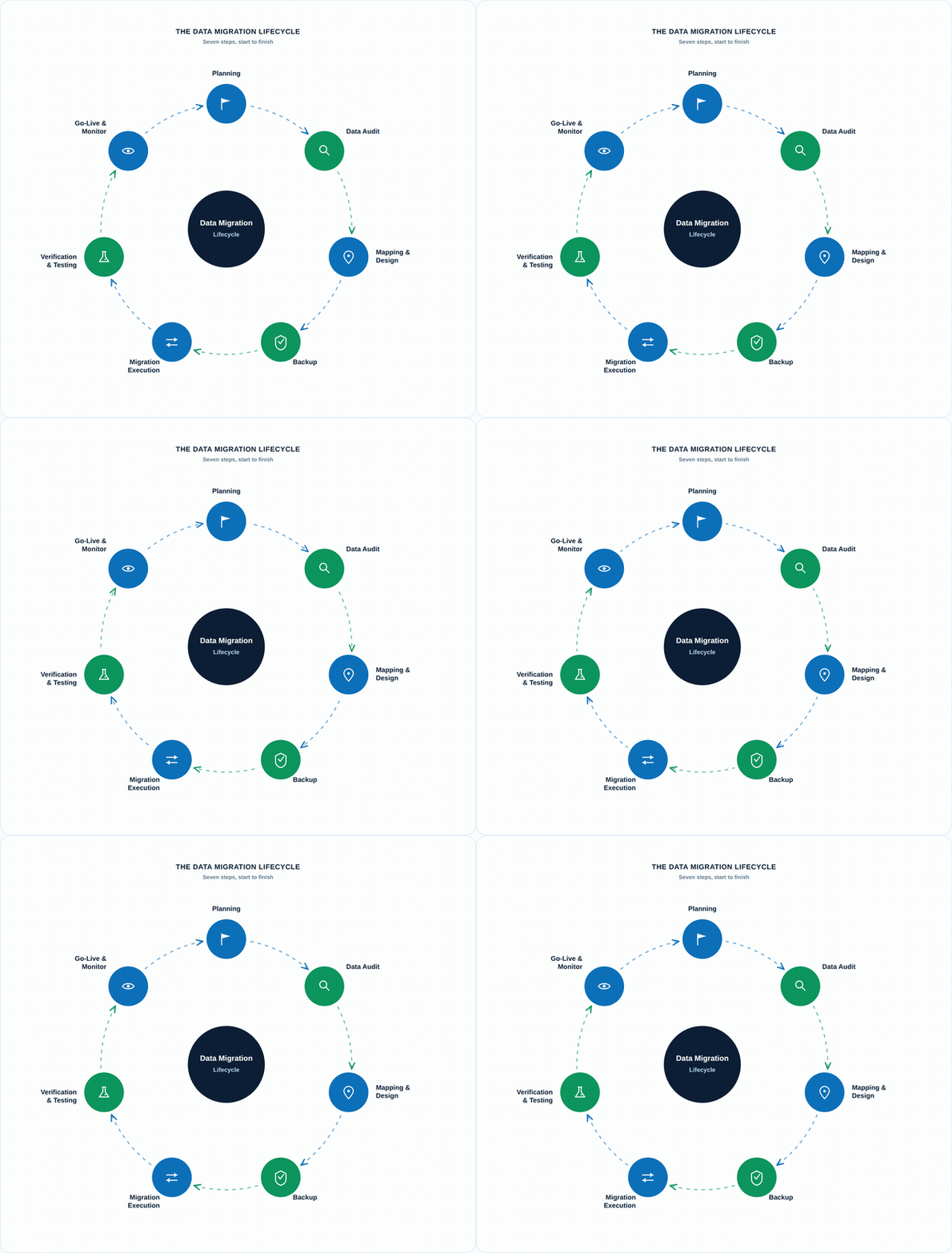
A successful migration tends to follow the same rhythm, whether the project is a single database or an enterprise-wide replatforming:
- Planning — Start with a clear plan: what you’re doing, why, and who needs to be in the room. A solid plan upfront means far less chaos later.
- Data Audit — Take a close look at what you actually have. What’s useful, what’s outdated, and what should be left behind rather than dragged into the new system.
- Mapping and Design — Line up where old data will live in the new system, the way you’d label boxes before a move. Clear mapping prevents confusion and broken workflows downstream.
- Backup — Before touching anything, back it up. This is the safety net if something goes sideways mid-migration.
- Migration Execution — Move the data, either all at once or in stages. Automation tools reduce human error here and are increasingly doing the heavy lifting (more on that below).
- Verification and Testing — Don’t assume the data arrived intact. Confirm it moved safely and that it still makes sense in its new home.
- Go-Live and Monitor — Once live, stay close to the new system: support users, watch for bugs, and fix what doesn’t look right before it becomes a bigger problem.
Best Practices to Keep in Mind
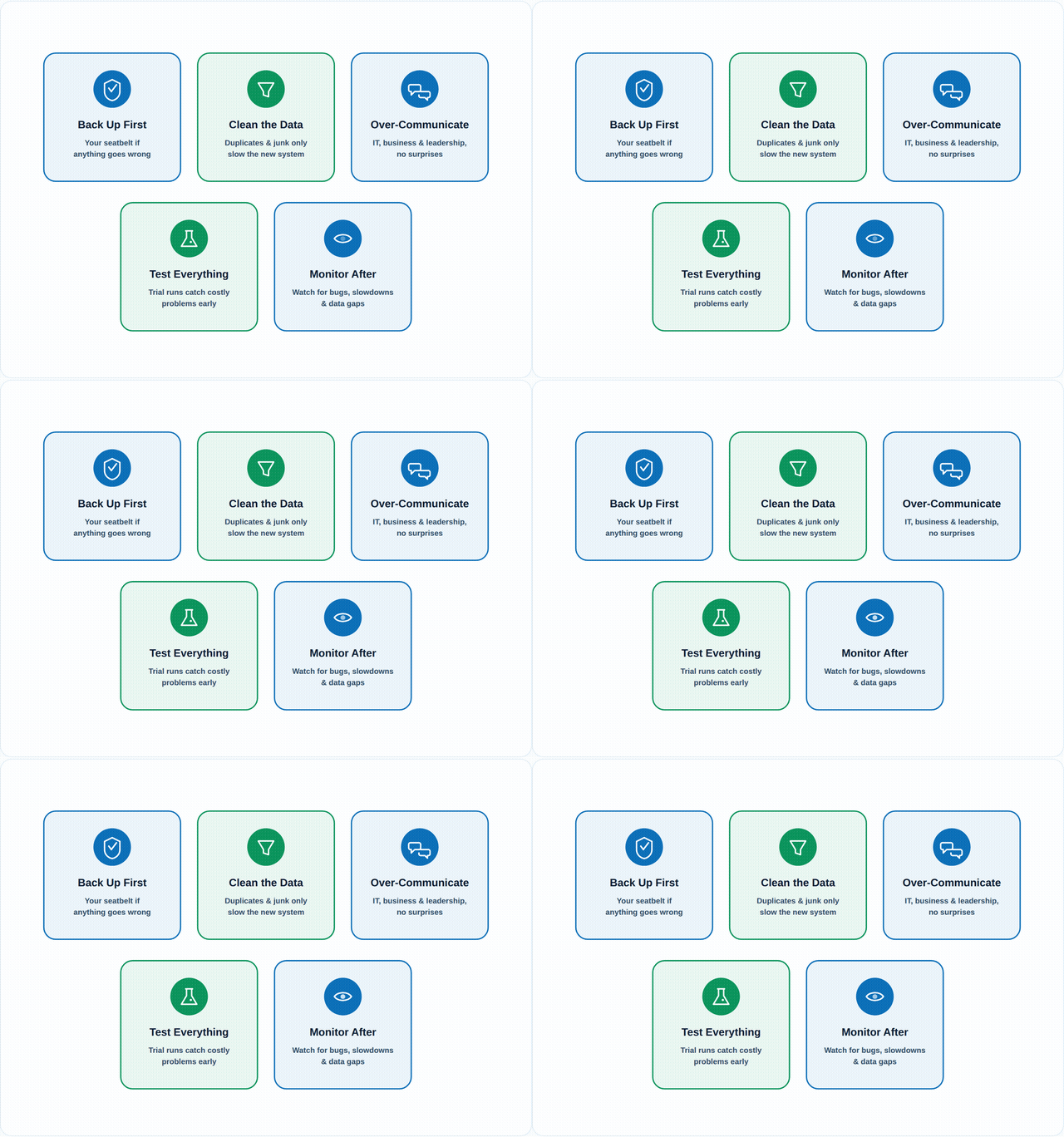
- Always back up before you begin — think of it as a seatbelt: if anything goes wrong, you haven’t lost everything.
- Don’t underestimate clean data — duplicate or outdated records only slow you down once they’ve made the trip to the new system.
- Communicate constantly with stakeholders — IT, business teams, and leadership all need to be in the loop, so there are no surprises or misaligned expectations.
- Test everything, especially in trial runs — simulate the real thing. This is the cheapest chance you’ll get to catch issues before they become expensive ones.
- Monitor post-migration performance — the job isn’t done when the migration is. Keep watching for bugs, slowdowns, or data gaps.
Where This Fits in 2026: The Gap Between Planning Well and Executing Well
The process above hasn’t changed much — but the economics around it have gotten a lot less forgiving. Industry data on enterprise migrations puts the failure rate at roughly 73% of projects falling short of their stated objectives, with 80% exceeding their original budget by 150% or more, and timelines routinely stretching 18 months past plan. Separate research into cloud migrations specifically finds that only 65% finish on time and within budget, 38% run over budget by an average of 23%, and 18% end up needing a partial rollback. The single most common cause named across these reports isn’t unfamiliar technology — it’s the complexity of legacy applications and dependencies nobody fully mapped before cutover, which is exactly what the Planning and Data Audit steps above exist to prevent.
The other shift is how much of the manual burden AI is now absorbing. Schema mapping and data profiling — historically the slowest, most error-prone part of any migration — are increasingly handled by pattern-recognition and anomaly-detection tooling that can compress weeks of manual mapping into days. Organizations using AI-augmented migration platforms and formal readiness assessments are seeing measurably better outcomes: professional-led migrations with structured discovery complete on time at roughly 71%, versus 49% for self-managed efforts without one. The tools have gotten smarter; the discipline of planning, auditing, and testing before you move a single record hasn’t gotten any less necessary.
The Takeaway
Data migration will probably never be the most exciting line item on a digital transformation roadmap. But it’s often the one that determines whether every other initiative on that roadmap actually works. Treat it as the strategic project it is — plan deliberately, audit honestly, back up without exception, and keep watching after go-live — and migration stops being the risk everyone tiptoes around and becomes just another well-run part of how the business modernizes.
Join The Conversation
Share your perspective. Comments are moderated before they appear.